Your kid has officially caught the bug. Maybe they spent three weekends modding a Minecraft world, or they watched a YouTube video about how apps are built and immediately asked, "Can I learn to do that?" You've started Googling, and now you're staring down a surprisingly complicated question: is a local coding school the move, or would online be better?
It's not a simple answer, and anyone telling you it is probably hasn't tried both. The truth is that "coding school for kids" means about five different things depending on where you look. In-person coding academies, weekend bootcamp programs, after-school clubs, one-on-one tutoring, live online classes, and self-paced video courses all get lumped under the same label. Before you can decide which is better, it helps to figure out what format your kid actually needs at this age and stage.
This guide breaks that down honestly, by age, by learning style, and by what kids at different levels are typically ready to build.
Quick takeaways
- "Coding school" is a format decision as much as a curriculum one. What your kid learns matters less than whether the format keeps them engaged long enough to actually learn it.
- In-person programs offer structure and social energy, but they're constrained by geography, schedule, and often a one-pace-fits-all approach.
- Live online coding classes offer the same teacher-student dynamic without the commute, with more flexibility on subject and pace.
- Age and current skill level should drive the format choice more than proximity or brand recognition.
- Most kids who stick with coding long-term do so because the topic grabbed them first, not because the format was rigorous.
What "coding school" actually means (and doesn't)
Walk into any parenting forum and ask about coding schools for kids, and you'll get a dozen different answers pointing to a dozen different things. That's partly because the category is genuinely fragmented, and partly because "coding school" has become a catchall phrase covering everything from weekend camps to year-round academies.
Here's what the landscape actually looks like:
Brick-and-mortar coding academies. These are physical locations, often franchises, where kids go after school or on weekends for structured programming instruction. Think Kumon but for Python. They often follow a proprietary curriculum, have multiple levels, and charge monthly tuition similar to a music school.
In-person coding camps. Usually seasonal (summer, spring break) and intensive. Kids spend a week or two building something specific: a game, an app, a robot. Great for jumpstarting interest; less suited for sustained skill development.
After-school coding clubs. Often school-run or community-based, variable in quality. The upside is low cost. The downside is that the content is rarely sequenced or personalized.
Live online coding classes. A teacher leads a class in real time over video. Kids can ask questions, share their screens, and build alongside the teacher and classmates. Same interactive dynamic as in-person, without geographic limits on who the teacher can be.
Self-paced video platforms. Pre-recorded video libraries where kids work through lessons at their own speed. No live instruction, no feedback loop. Good for curious explorers; less suited for kids who need accountability or personalized guidance.
The format matters a lot, because the number one reason kids quit coding is that the setup didn't fit how they actually learn. A program that's technically excellent but structurally wrong for your kid won't stick.
What kids can realistically learn at each age
Before comparing formats, it helps to think about what your kid is actually ready for right now. Not because there are strict rules, but because picking the right entry point makes the whole thing feel like a win instead of a slog.
Ages 8 to 10: block coding and visual logic
At this stage, kids are just starting to think in sequences and logic. They're usually not ready for typed syntax (the "code" that looks like a foreign language), but they take to visual, drag-and-drop environments like Scratch, Tynker, or code.org projects pretty naturally.
Block coding isn't a lesser version of real coding. It teaches the same underlying concepts: sequences, loops, conditionals, events. The difference is that kids can focus on what they're building instead of debugging a missing semicolon.
The best programs for this age group let kids make something they actually care about: a game with their favorite character, a simple animation, an interactive story. Getting to build something real is what keeps this age group coming back. If your kid is in this window, Scratch coding classes on Outschool are a good place to see what live instruction at this level looks like.
Ages 10 to 13: the transition to text-based coding
This is the window where many kids are ready to move from block coding to typed languages, usually Scratch-to-Python or Scratch-to-JavaScript. It's also the window where a lot of kids quit, because text-based coding has a steeper learning curve and it takes longer to see results from what you write.
What works at this stage: project-based learning that builds toward something the kid wants. A kid who wants to make a game is far more motivated to learn loops and functions than a kid who's being walked through abstract exercises.
Good programs at this level meet kids where they are rather than funneling everyone through the same curriculum track regardless of prior experience.
Ages 13 to 15: specialization and real projects
By this point, kids who've been coding for a couple of years are ready to specialize. Web development, game design, app building, data science, or AI/machine learning basics are all realistic entry points depending on interest. If your kid is drawn to games specifically, game development classes on Outschool cover everything from Roblox scripting to Unity projects at this age range.
This is also the stage where the "school" model starts to matter more. A motivated 14-year-old who wants to build a real app needs a teacher who can actually answer "how do I do this specific thing," not just walk through a fixed curriculum. That's where live instruction (online or in-person) significantly outperforms self-paced video.
In-person coding schools: what they do well (and where they fall short)
Local coding academies have real strengths. Walking into a space specifically set up for learning, surrounded by other kids who are also figuring out code, creates a social energy that can be genuinely motivating. For kids who thrive on routine and physical context cues ("we go to coding on Tuesdays"), the in-person structure works well.
Where in-person excels:
Hands-on robotics and hardware. If your kid is interested in physical computing (building a robot, wiring a circuit, working with a Raspberry Pi), in-person programs can provide equipment that's hard to replicate at home. For this specific niche, the in-person format has a real edge.
Social accountability. Some kids do their best work when they can look over and see what the kid next to them is building. Friendly competition and collaborative problem-solving are easier to generate in a physical space.
Routine and consistency. A fixed weekly time at a physical location removes the "can we skip this week" friction that can derail even motivated kids.
Where in-person falls short:
Geographic lottery. The quality of local coding programs varies enormously. A family in a well-resourced suburb might have two or three solid options within driving distance. A family in a rural area, a smaller city, or a neighborhood without the right zip code may have almost none. For most families, the pool of in-person options is small and not particularly well-matched to their kid's current level.
One pace, one curriculum. Most brick-and-mortar coding schools follow a fixed curriculum track. If your kid has already been coding for two years, they may be placed back at the beginning because that's where the track starts. If your kid is an advanced visual thinker ready for Python, they still start at block coding because that's the policy.
Scheduling inflexibility. In-person programs run on the school's schedule, not yours. If your family travels, homeschools on a flexible schedule, or has a kid in multiple activities, carving out a fixed two-hour weekly slot at a specific location is harder than it sounds.
Cost without customization. Monthly tuition at a brick-and-mortar coding academy averages between $150 and $350 per month in most markets. For a structured, personalized program, that might be worth it. For a group class using a fixed curriculum your kid will outgrow in a few months, it's a harder case.
Live online coding classes: what the format actually looks like
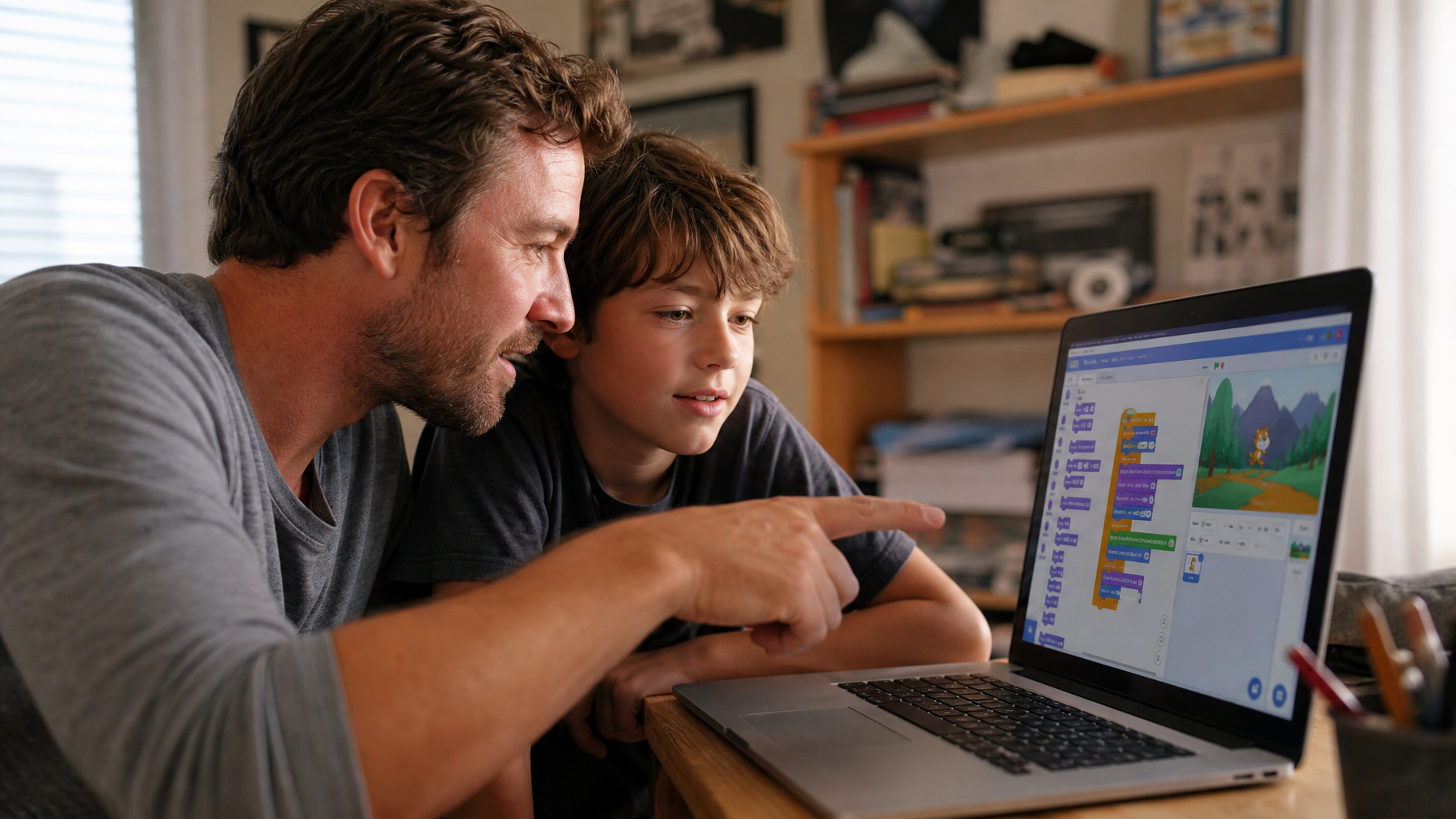
"Online" coding instruction gets lumped together constantly, but there's a significant difference between a live online class and a pre-recorded video library. Self-paced video content has its place (it's great for supplemental learning and curious explorers), but it's not a replacement for the teacher-student dynamic that makes a real coding school work.
A live online coding class looks like this: a teacher and a small group of kids meet at a scheduled time over video. The teacher shares their screen to demonstrate, kids share their screens when they're building, there's real-time back-and-forth when something breaks (and something always breaks in early coding), and kids can ask specific questions about their specific projects.
The format is interactive in the same way in-person instruction is. The difference is that the teacher doesn't have to live within 30 minutes of you.
What live online classes do better than in-person:
Access to teachers with specific expertise. A local coding school hires from the local talent pool. An online platform draws from teachers across the country and sometimes internationally. If your kid is obsessed with game development with Unity, there may not be a teacher within driving distance who specializes in that. Online, that teacher exists and has a class.
Pace and level matching. Because there are far more teachers and class options online, you can actually find a class at your kid's specific level. Not "beginners," but "Scratch intermediate, ready to try Python for the first time." The range of what's available is far wider than any single local program.
No commute, more consistency. The single biggest reason kids stop attending in-person programs is logistics: a conflict comes up, the commute becomes a burden, the schedule changes. When class is on a laptop at home, that friction disappears. Kids who want to code consistently actually do.
Flexible scheduling. Weekend mornings, weekday afternoons, evenings, summer intensives, one-week mini courses. The range of when classes are offered online is broader than any single in-person location.
No geographic ceiling on the teacher's quality. This is worth saying plainly. When geography stops being a filter, the quality ceiling for who your kid can learn from goes up significantly.
Where live online coding classes have limitations:
Hardware projects need hardware. If your kid's interest is in robotics or physical computing, live online classes work for the software side, but you'll need to supply your own components or find an in-person complement. This is a real gap.
Home environment matters. Some kids do better when the school environment and the home environment are physically separate. If your kid struggles to focus at home for other reasons, those same challenges may come up in online classes. Most parents know whether their kid is in this camp.
The format question is actually a learning style question
Here's a reframe that might be more useful than "online vs. in-person": the real question is what conditions make your kid's particular brain engage and stay engaged.
Some kids get energy from being in a room with other people working on the same thing. If that's your kid, in-person programs (or group-format live online classes, which give a lot of the same social energy) are going to work better than solo self-paced work.
Some kids do their best work when things are quiet and there's a single focus. Those kids may actually do better in a smaller live online class with fewer distractions than in a physical room with 12 other kids.
Some kids run on their own internal clock and don't thrive under time pressure. For them, a combination of live class instruction (for picking up new concepts and getting unstuck) and independent project time (for actually building) tends to work well.
A few questions worth sitting with:
- When your kid gets into flow on a project at home, do they prefer quiet or company?
- Do they do better in structured environments (a scheduled class with a specific teacher) or open-ended ones (here's a library of tutorials, go explore)?
- Are they self-directed enough to follow through on something without an external accountability structure, or do they need the commitment of a scheduled class to actually show up?
- Is the goal right now to explore broadly (is coding even interesting?) or to develop seriously (they're committed and want to go deep)?
There's no wrong answer. The goal is matching the format to what your specific kid needs right now, not finding the most rigorous program on paper.
Comparing the formats side by side
Here's a practical comparison of the main format types across the factors that matter most when you're actually making this decision.
Structured curriculum progression
In-person academies: usually yes, though pacing is fixed
Live online classes: varies by provider; many offer leveled sequences
Teacher expertise in specific topics (game dev, AI, web, robotics)
In-person academies: limited by local talent pool
Live online classes: broad; can match to very specific interests
Small group or 1-on-1 interaction
In-person academies: group sizes vary, often 8 to 15 kids
Live online classes: group sizes vary widely; many offer very small groups (4 to 8 kids) or 1-on-1 options
Scheduling flexibility
In-person academies: fixed schedule, location-dependent
Live online classes: broad range of days and times; easier to fit into non-traditional schedules
Geographic access
In-person academies: limited to what's available locally
Live online classes: no geographic limit; national and international teacher pool
Hardware and robotics projects
In-person academies: advantage here for physical computing
Live online classes: software-focused; hardware supplement needed for physical projects
Cost
In-person academies: typically $150 to $350/month for ongoing enrollment
Live online classes: ranges widely; pay-per-class options let families start without a long commitment
Fit for homeschool families
In-person academies: can conflict with flexible schedules
Live online classes: designed to flex around non-traditional school calendars
What kids actually learn in a coding class (and what sticks)
There's a gap between what most coding programs advertise and what kids actually retain six months later. (If you're still in the early "should my kid even learn to code?" stage, this piece on why kids benefit from learning to code is worth reading first.)
Most kids who go through a standard beginner coding program can describe concepts they learned: loops, variables, if-then logic. Far fewer can sit down independently and build something from scratch without being prompted.
The difference between programs that produce independent builders versus kids who can recite concepts usually comes down to two things: project ownership and productive struggle.
Project ownership means the kid gets to decide what they're making. A kid who builds a game based on their favorite book is going to spend more time debugging it, troubleshoot harder, and remember more about how it was built than a kid who completed a teacher-assigned project step by step. The best coding programs (online and in-person) give kids meaningful input into what they're building.
Productive struggle means that when the code breaks (and it will), the class doesn't just hand the kid the answer. Good coding teachers guide kids through the debugging process instead of fixing it for them, because debugging is where most of the real learning happens. The frustrating, slow, "why isn't this working" phase is actually where understanding solidifies.
When you're evaluating programs (in-person or online), ask these questions specifically:
- Do kids build original projects, or do they follow step-by-step builds?
- When something breaks, how does the teacher handle it?
- Can you sit in on a sample class or access a trial before committing?
Red flags to watch for in any coding program
A few patterns in coding programs (online and in-person) that tend to produce frustrated kids who quit:
Pace locked to whoever's furthest behind. In group classes, this happens a lot. The teacher can't move forward until everyone catches up, which means kids who are ready to go deeper spend class time waiting. Smaller group sizes (or live 1-on-1 instruction) solve this.
No original output. If the only thing your kid brings home from six weeks of coding class is a completed version of the same project every kid in the class built, following the same step-by-step walkthrough, that's a tutorial with group accountability, not a coding education. Useful as a starting point; not a long-term program.
Curriculum that doesn't build on itself. Some programs run each term as a standalone unit, which means there's no progression. A kid can take the same beginner class three times and not advance because the structure isn't designed for advancement.
Teachers without subject-matter depth. This is harder to assess, but it matters at the middle and high school level especially. A teacher who genuinely knows Python well can answer off-curriculum questions, help a motivated kid explore rabbit holes, and model what an engaged programmer actually looks like. A teacher who is one lesson ahead of the kids in the manual cannot do that.
How live online coding classes work on Outschool
Outschool's coding and programming classes are live, interactive, and taught in small groups by teachers who apply specifically to teach the subjects they're actually skilled in. You can filter by age range, coding language, skill level, and class format (group, 1-on-1, ongoing, or one-time).
A few things that make the format work for families specifically researching structured coding education:
The teacher pool is national. If your kid is ready for a Python game development class with a teacher who has shipped their own games, that class probably exists. You're not limited by who's available in your metro area.
Classes run on real schedules. Live online classes on Outschool meet at a set day and time, with real attendance and a real teacher your kid builds a relationship with. It's not "drop in whenever" or "watch a video and do exercises." It's a class.
You can start with one class. There's no monthly academy enrollment to lock into. Browse the coding and programming classes on Outschool, pick one that matches your kid's level and interest, and see how the first session goes. That trial-and-see approach is usually much more informative than any amount of program research. If you want to support the learning at home too, this guide on how to teach coding to kids has practical ideas even if you've never written a line of code yourself.
Class sizes are small. Many coding classes on Outschool run with 4 to 8 kids, which means teachers can actually see what each kid is building, catch where they're getting stuck, and keep pace moving.
Frequently asked questions
At what age should kids start coding?
There's no single right age, but most kids can engage meaningfully with visual block coding (Scratch, Tynker) starting around age 7 or 8. Text-based coding (Python, JavaScript) becomes more natural for most kids between ages 10 and 13, though some are ready earlier. The better question is what kind of coding, not when.
Is coding school worth the money?
It depends on the program and your kid's engagement level. A well-matched program that keeps your kid engaged and building original projects is worth a lot. A fixed-pace group program that your kid has outgrown or isn't interested in is worth very little regardless of price. Fit matters more than prestige.
Do kids need prior experience to start a coding class?
No. Most programs (including classes on Outschool) offer true beginner options. The key is finding a class pitched at the right level for where your kid is actually starting, not where you hope they'll be.
Can kids learn to code on their own with free resources?
Yes, with some caveats. Free platforms like Scratch, code.org, and Khan Academy are genuinely excellent. Many motivated kids use them to get a solid foundation. The gap between kids working on their own and kids with a live teacher usually shows up when things break. Debugging without someone to ask "what am I doing wrong?" stalls a lot of kids who would otherwise progress.
How is a live online coding class different from a recorded video course?
A live class meets at a scheduled time with a teacher present. Kids can ask questions, share their screens, and get feedback on their specific work. A recorded video course is pre-made content; you watch, try to follow along, and figure out problems on your own. Both have a place, but they're different experiences. Most kids who want real coding skill development benefit from live instruction at some stage.
What coding languages are best for kids?
For visual learners starting out: Scratch. For text-based coding: Python is the most beginner-friendly and most commonly taught language for kids in the 10 to 13 range. JavaScript is a strong second, especially if a kid is interested in building web projects. For game development specifically: many kids enjoy starting with Roblox Studio (Lua scripting) because the output is immediately recognizable to them.
How long does it take to see real progress?
With consistent practice (at least a session per week), most kids show noticeable progress within 2 to 3 months: building small projects independently, understanding the logic behind what they're writing, and asking more specific questions. Six months in, kids who have stayed engaged can usually build something they're genuinely proud of.
The bottom line
There's no universal answer to whether online or in-person coding school is better for your kid. In-person programs have real strengths, especially for kids who thrive on social energy and for anything involving physical hardware. But for most families thinking seriously about coding education, live online classes clear the biggest obstacles: you're not limited by geography, you can find a teacher who actually specializes in what your kid wants to build, and you're not locked into a one-size-fits-all pace.
The more useful question isn't "which type is better." It's "which format fits how my specific kid learns, at the level they're at right now, in the time we actually have?"
For a 12-year-old who's ready to try Python and is free on Saturday mornings, a live online small-group class with a teacher who actually knows Python is almost certainly a better fit than whatever coding academy happens to be closest.
Browse coding and programming classes on Outschool to find live, teacher-led classes filtered by age, skill level, and subject. Whether your kid is starting with Scratch or ready to build their first app, there are classes running at the level they're actually at, not just the beginner track everyone gets funneled through.



.svg)
.svg)